Products InboxFlow
Email document intake for SAP Business One
Documents in the inbox, documents in B1.
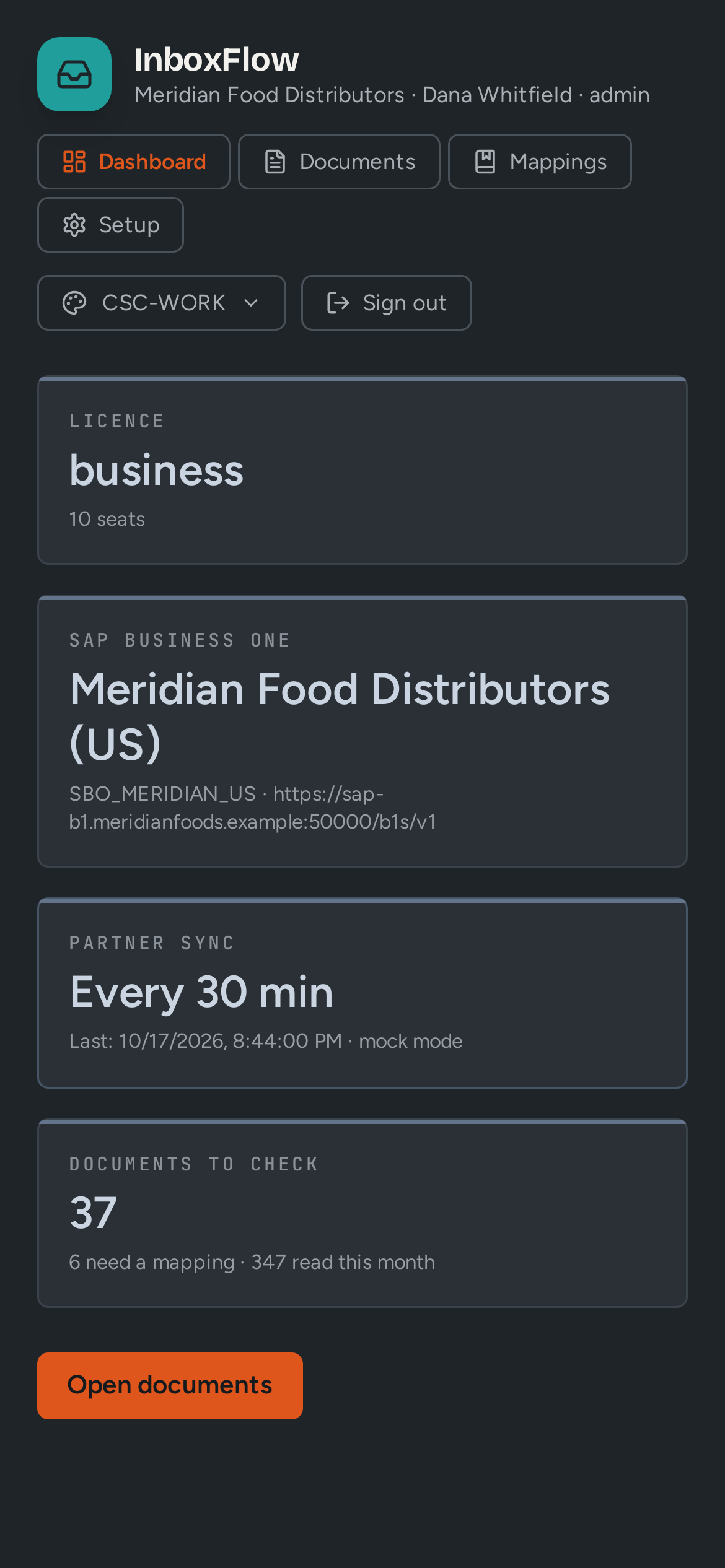
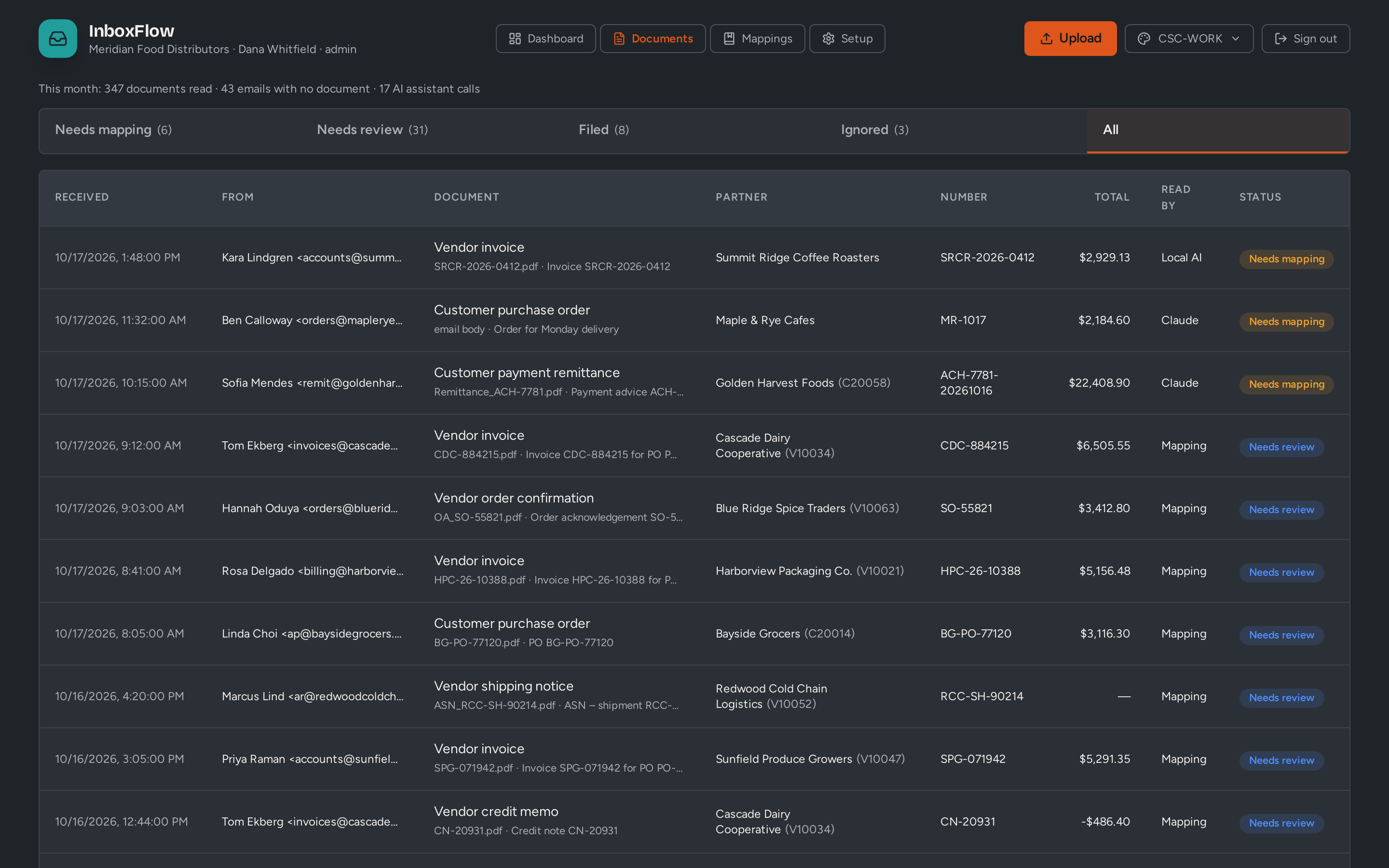
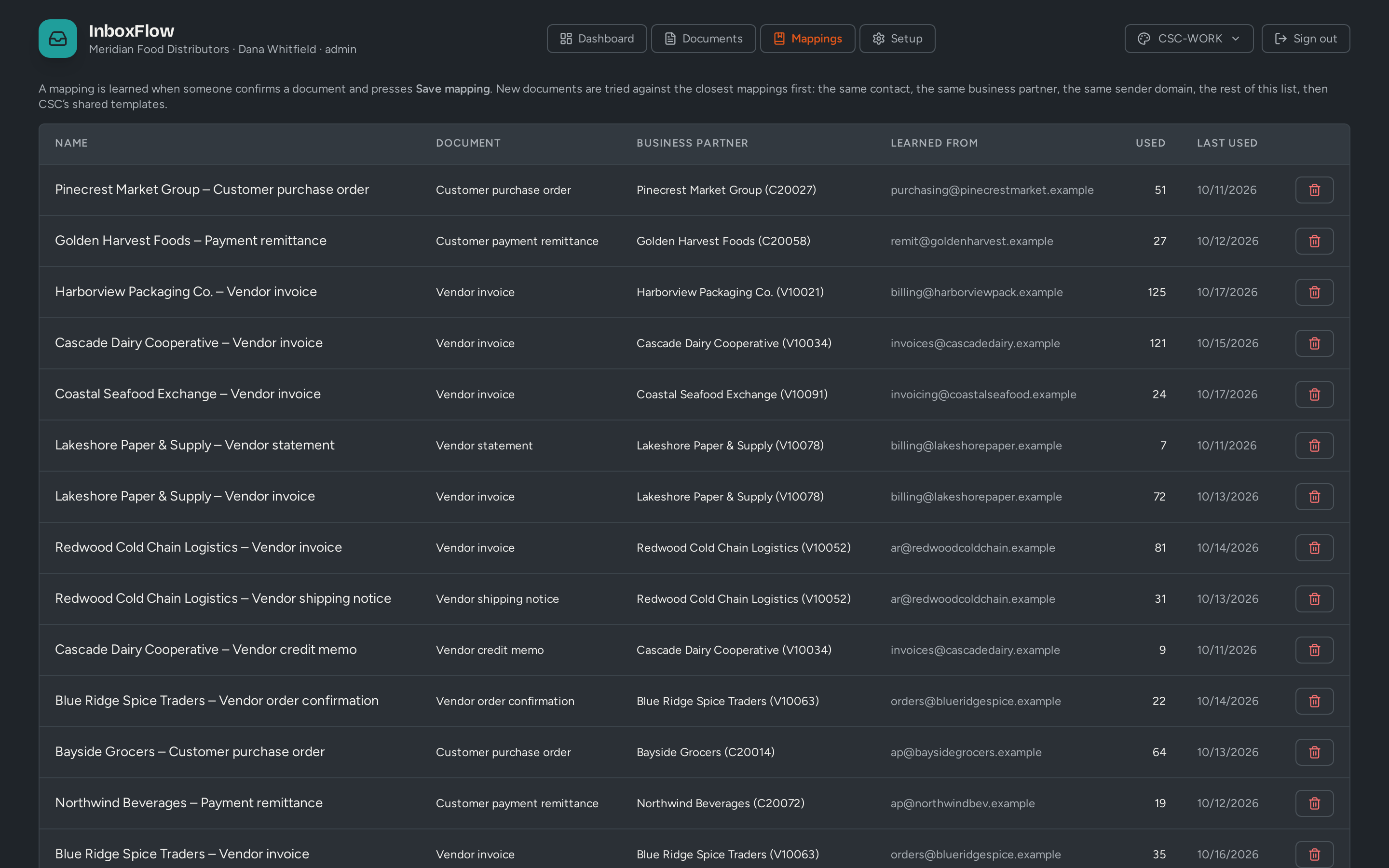
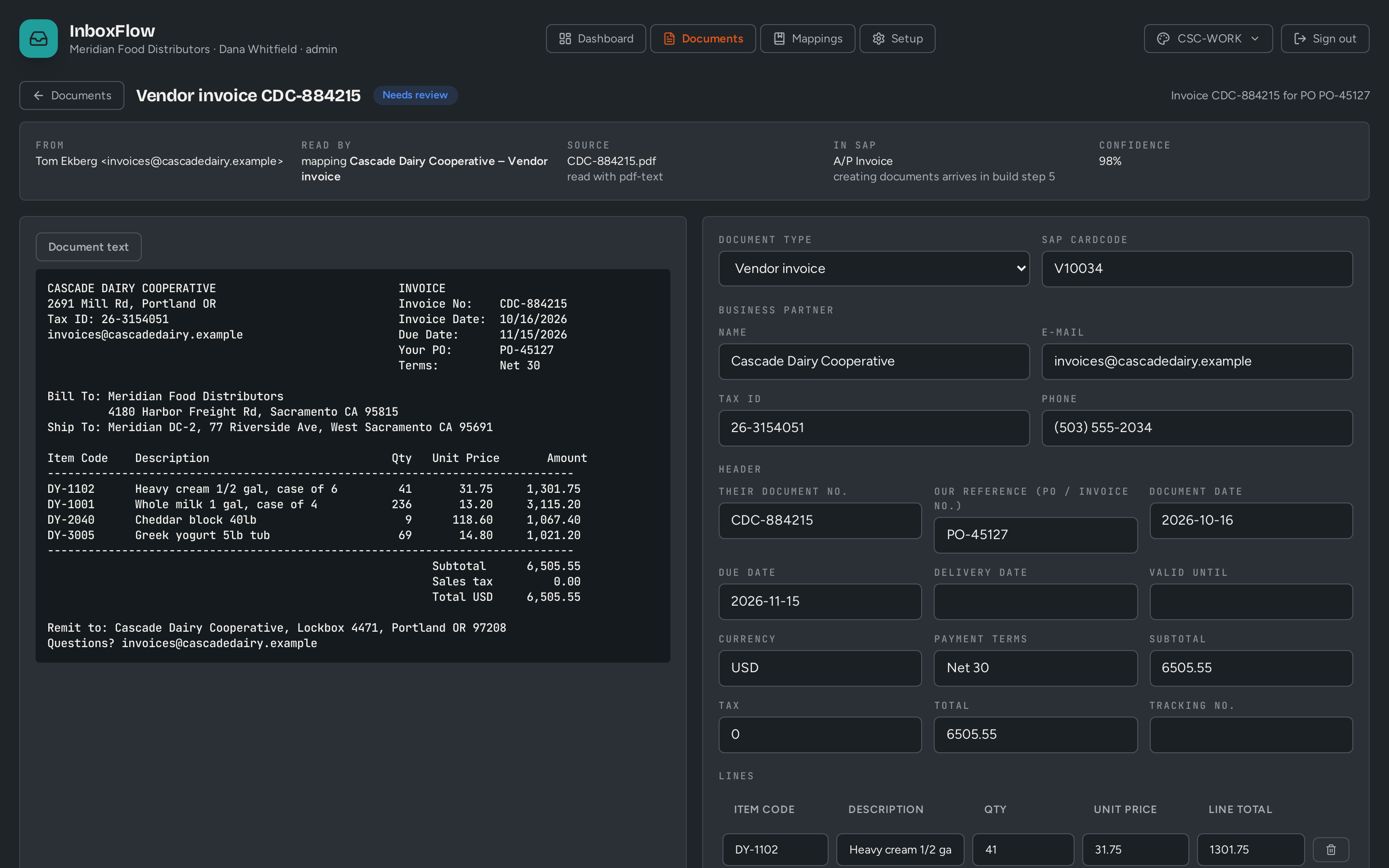
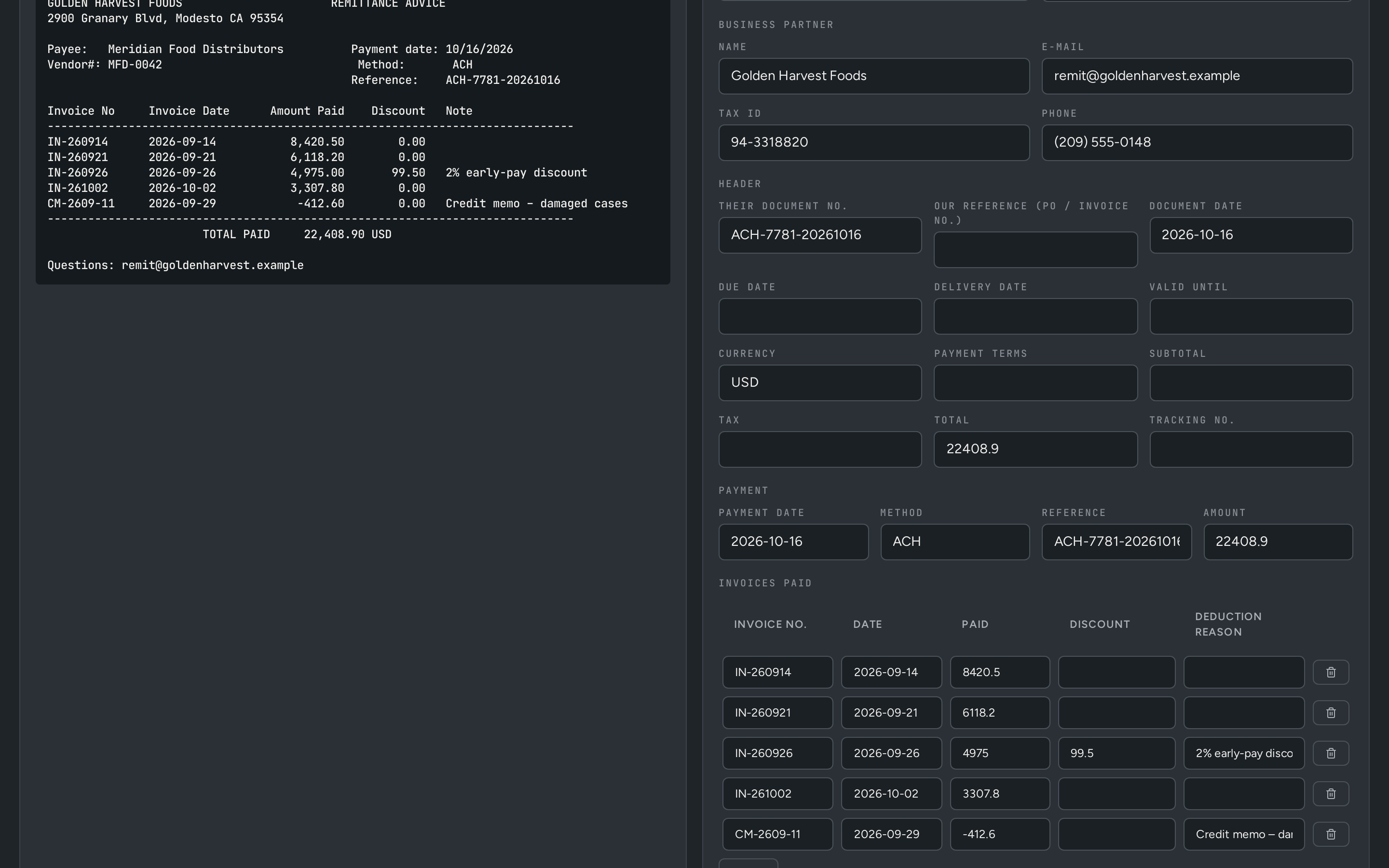
Vendors and customers email you documents every day. InboxFlow matches each sender to the right SAP Business One business partner and reads the document with that sender's template. Your team approves the first few; once a template has passed a couple of approvals untouched, matching documents import straight through — and anything that does not fit is flagged, with an AI-suggested fix. It is in development: reading, templates and review run in the current build, and the straight-through import into SAP is the next step.
The problem
Sound familiar?
- Someone retypes every emailed invoice and purchase order into B1.
- Documents sit unread in a shared mailbox until somebody chases them.
- The same vendor's invoice gets entered twice.
- OCR tools that do not know B1 still leave every posting to a person.
How it works
From one step to the next, inside SAP Business One
Who does what, and which B1 document each step creates or updates.
-
Vendor or customer
Emails a document to your shared mailbox
Email + attachment -
InboxFlow
Matches the sender to a B1 business partner and contact
Business Partner -
InboxFlow
Reads the attachment with that sender's template
Template -
Reviewer
Approves the first transactions; the template learns
Approval -
InboxFlow
After a couple of untouched approvals, imports matching documents straight through
A/P Invoice · Sales Order -
AI
Spots a document that does not fit, suggests a fix, and flags template and transaction for approval
Flagged for approval
Business case
Put your own numbers in
Every figure below is editable. Defaults are illustrative; use yours.
Inside InboxFlow
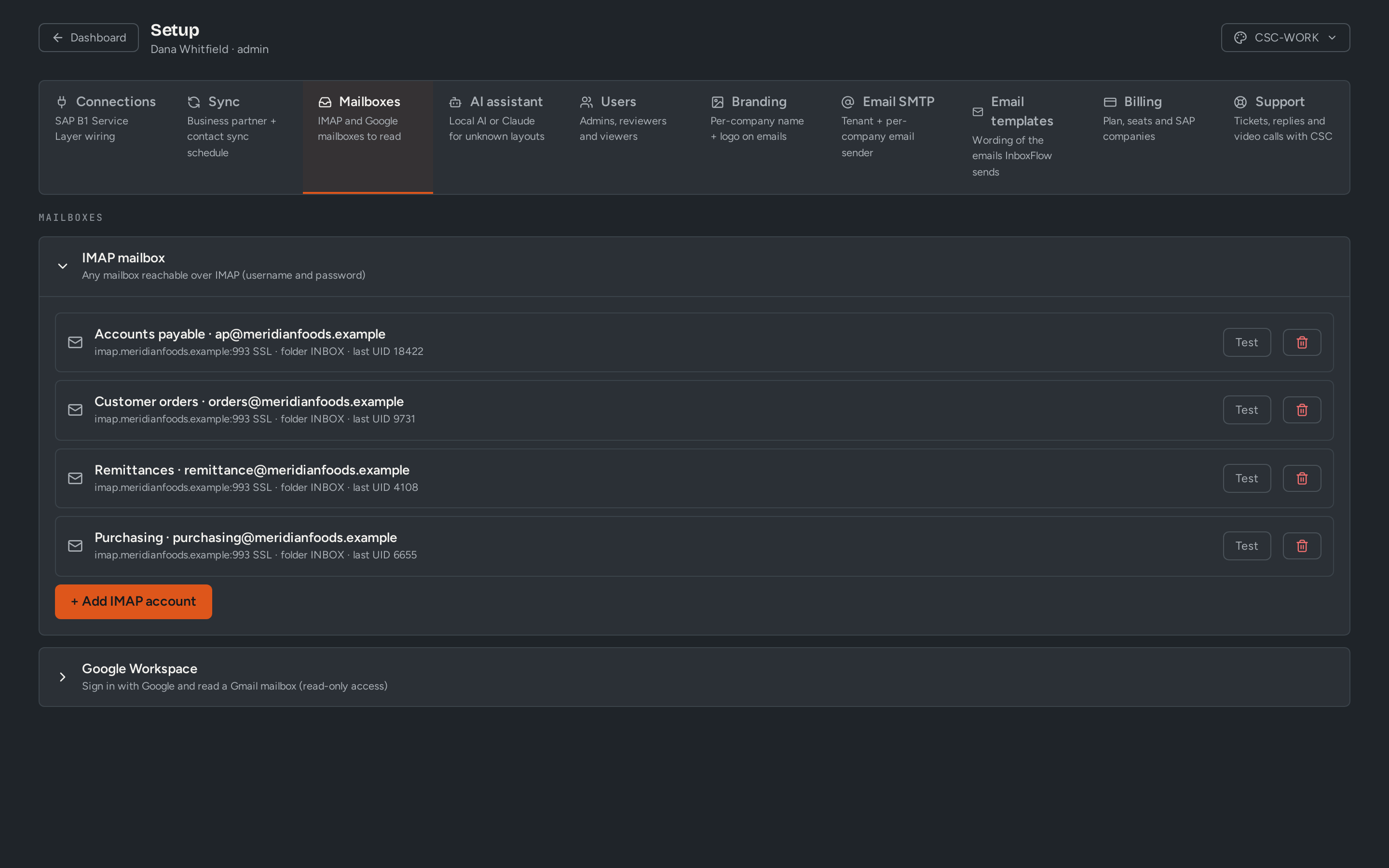
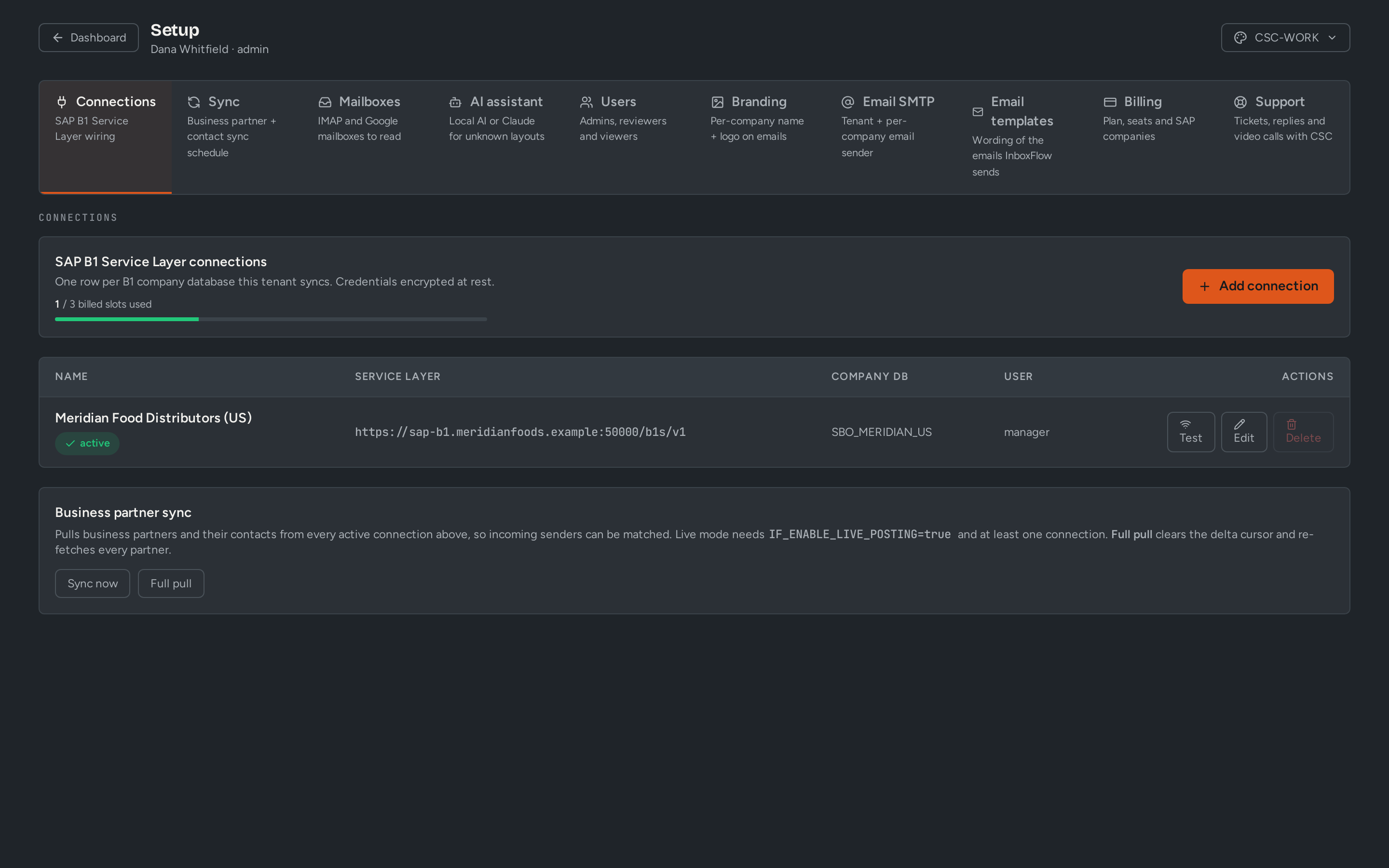
What your team sees
Screens shown with demo data from fictional companies. Some screens show features still in development.
What you get
Built for B1, not bolted on
- Shared mailbox connection (current build)
- Business partner and contact matching (current build)
- A template per sender, built from your first approvals (current build)
- Review screen with a confidence score (current build)
- Straight-through import once a template has passed a couple of approvals untouched (next step)
- AI checks every document against its template, suggests fixes and flags exceptions for approval (next step)
Who uses it
- Accounts payable
- Order desk
- Customer service
Who it fits
Any SAP Business One company that receives invoices, orders or remittances by email.
Next step
Shape it with us
We are building InboxFlow with a small group of early customers. Tell us how your process runs today.