Products ContainerFlow
Inbound shipment tracking and landed cost for SAP Business One
Every inbound container, visible in B1.
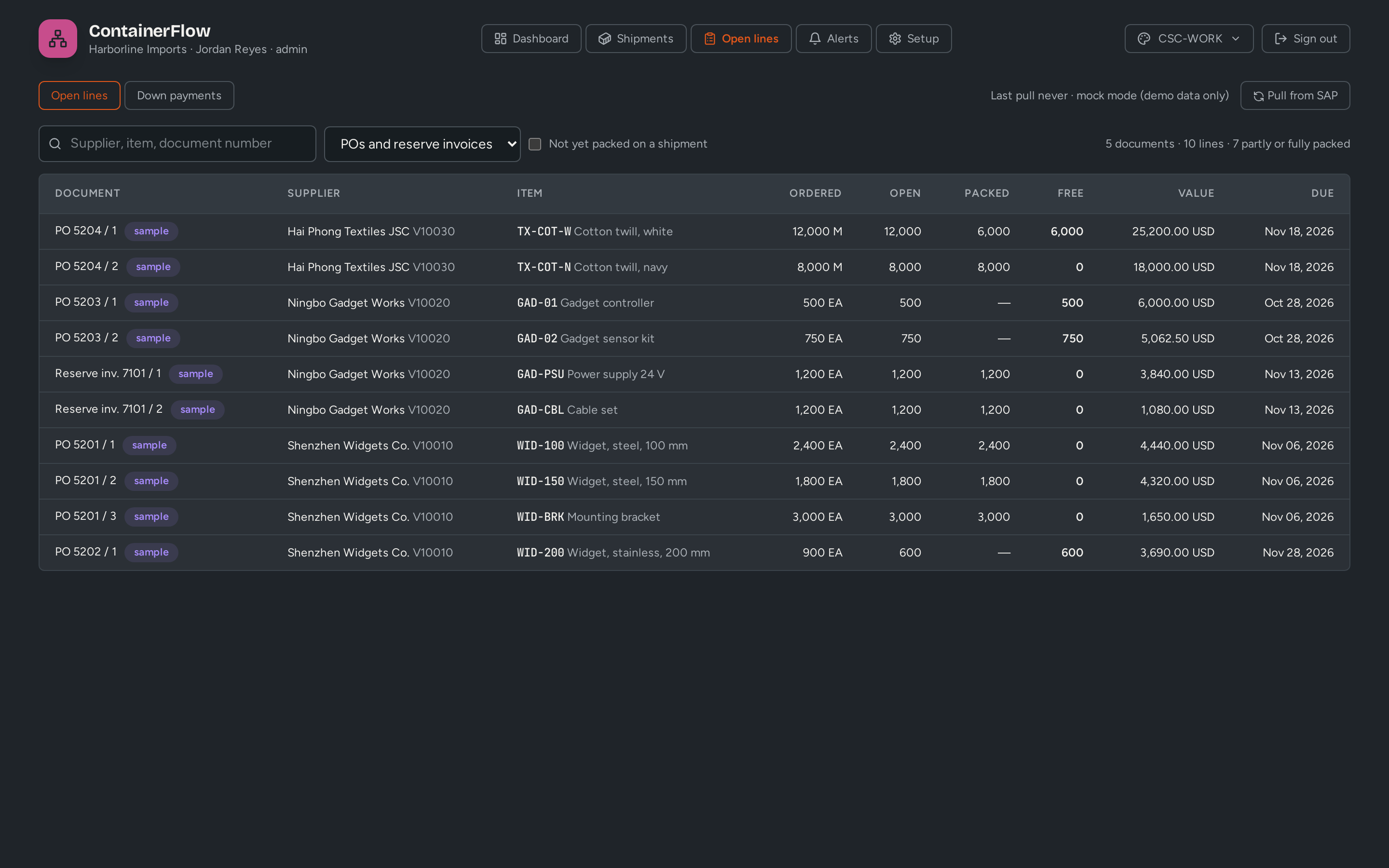
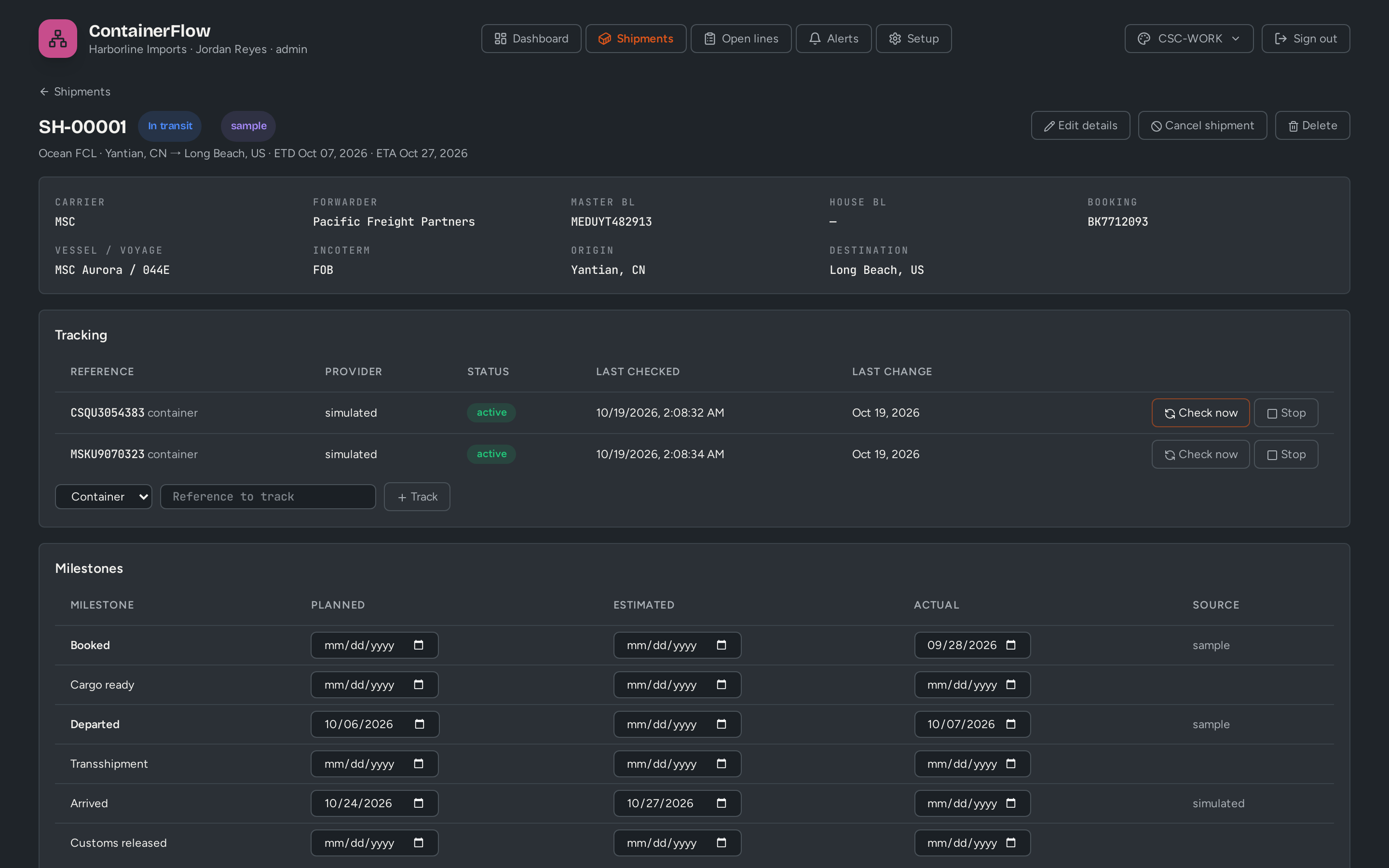
ContainerFlow is for SAP Business One importers. Build each shipment from your open purchase order and A/P reserve invoice lines, follow it through every milestone, and write the latest ETA back to B1, with an alert when it slips. It is in pilot: shipments, milestones, ETA write-back and alerts run in the pilot build and are being validated against live SAP Business One; receiving, landed costs, supplier down payments and the final A/P invoice are planned.
 Video coming soon
The problem
Sound familiar?
- Buyers chase forwarders by email to find out where a container is.
- The ETA on the purchase order is a date someone typed in months ago.
- Freight, duty and brokerage arrive on separate bills and are re-keyed into landed costs by hand.
- Supplier down payments are tracked in a spreadsheet next to B1.
How it works
From one step to the next, inside SAP Business One
Who does what, and which B1 document each step creates or updates.
-
Sync
Pulls open purchase order and A/P reserve invoice lines from B1
Purchase Order · A/P Reserve Invoice -
Logistics
Packs the lines into a shipment and its containers, partial quantities included
Shipment · Container -
ContainerFlow
Follows each container, bill of lading or air waybill through its milestones
Milestones -
ContainerFlow
Writes the latest ETA back to the PO lines and raises an alert when it slips
PO line ETA · Alert -
Planned
On arrival, posts the receipt — or hands it to StockFlow — and allocates freight, duty and brokerage
Goods Receipt PO · Landed Costs -
Planned
Posts the final A/P invoice with the down payments cleared
A/P Invoice
Business case
Put your own numbers in
Every figure below is editable. Defaults are illustrative; use yours.
Inside ContainerFlow
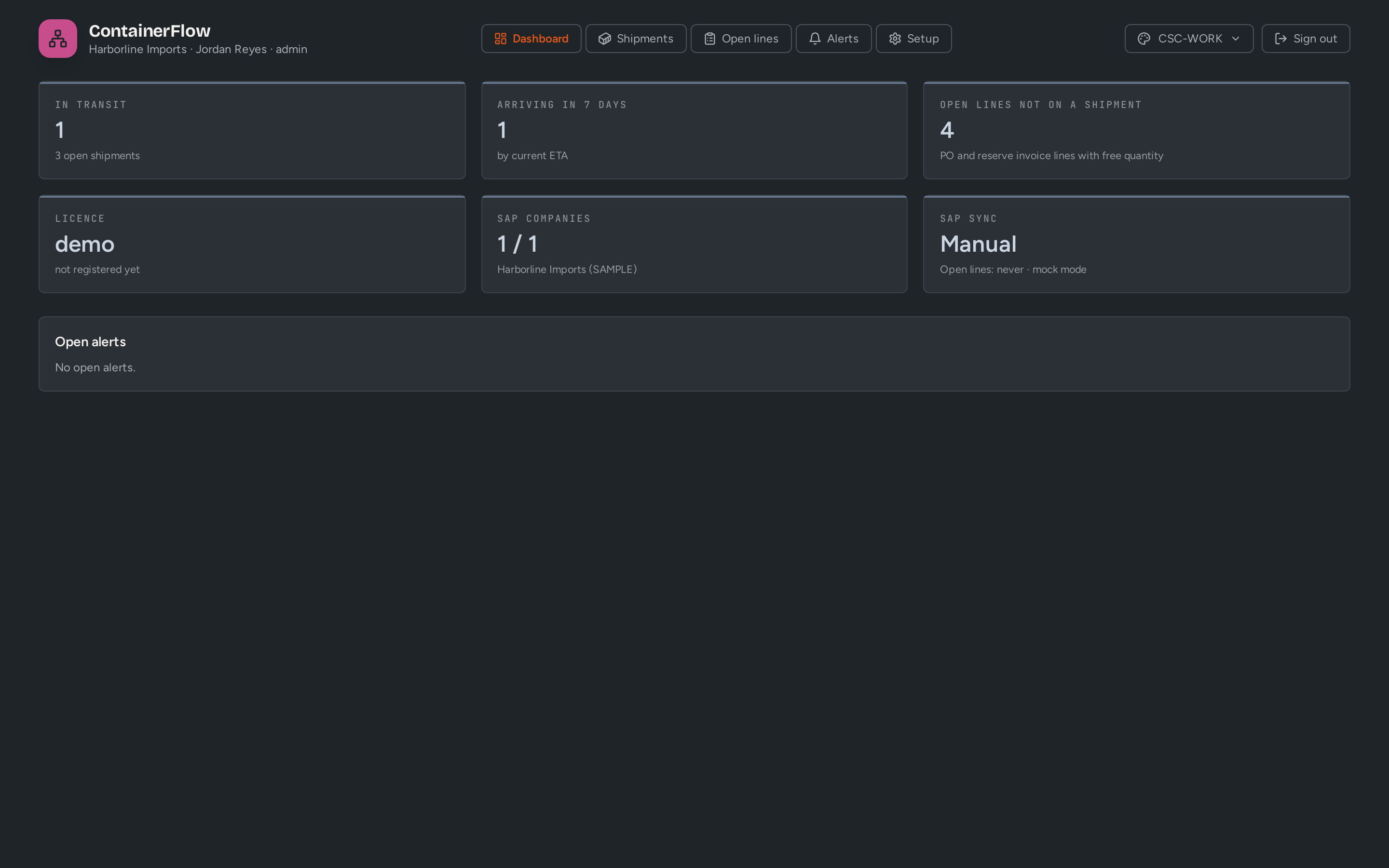
What your team sees
Screens shown with demo data from fictional companies. Some screens show features still in development.
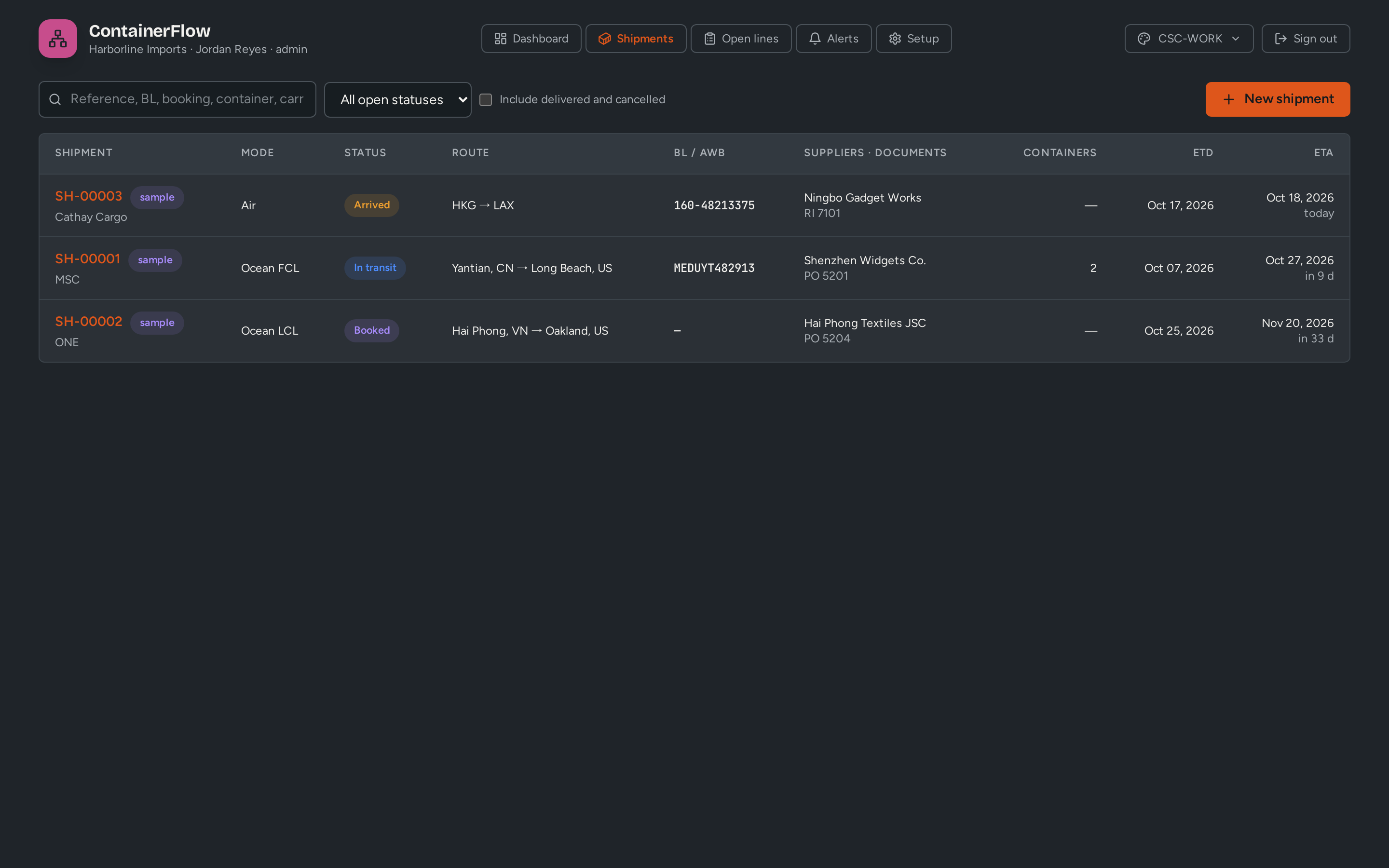
What you get
Built for B1, not bolted on
- Shipments and containers from PO and reserve invoice lines, partial quantities included (pilot)
- Ocean FCL and LCL, air and road, with milestones and change history (pilot)
- Tracking per container, bill of lading or air waybill; live provider being selected (pilot)
- Latest ETA written back to the B1 purchase order lines (pilot)
- Alerts when an ETA slips, an arrival is late or tracking fails (pilot)
- Receipt, landed costs, down payments and the final A/P invoice (planned)
Who uses it
- Buyers and logistics
- Finance
- Warehouse receiving
Who it fits
Importers and distributors on SAP Business One that bring goods in by sea, air or road — ocean FCL and LCL, air freight and cross-border trucking.
Next step
Shape it with us
We are building ContainerFlow with a small group of early customers. Tell us how your process runs today.